---
title: Download the Vrtly Player
description: Learn how to download and install the Vrtly Player on your device with step-by-step instructions to get your screens set up quickly.
---
[Skip to content](https://support.vrtly.ai/kb/install-vrtly#main-content)
[](https://support.vrtly.ai?hsLang=en)
- [Plans](https://www.vrtly.ai/pricing)
Open main navigation
Close main navigation
- [Plans](https://www.vrtly.ai/pricing)
- [Contact us](https://support.vrtly.ai/kb/contact-support)
[Contact us](https://support.vrtly.ai/kb/contact-support?hsLang=en)
How can we help?
- There are no suggestions because the search field is empty.
1. [Support](https://support.vrtly.ai/kb?hsLang=en)
2. [Get Started](https://support.vrtly.ai/kb/get-started?hsLang=en)
3. [Screen Setup](https://support.vrtly.ai/kb/get-started?hsLang=en#screen-setup)
# Download the Vrtly Player
## Get quick access to over 200 brand channels! Choose your device below to view setup instructions for downloading, installing, and using Vrtly on your screen.
Your screen needs a stable internet connection of at least **2 Mbps** where it will be placed. If needed, test the Wi-Fi there using your phone: **[speedtest.net](https://www.speedtest.net/)**
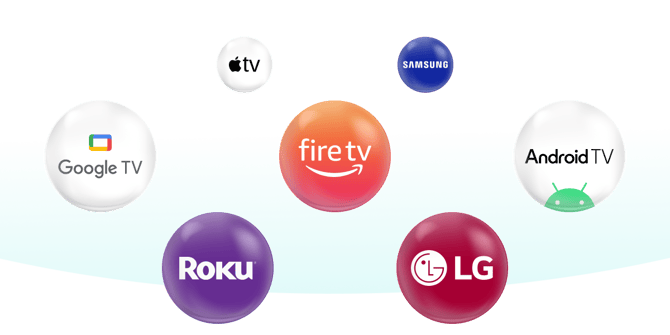
### Apple Devices
Download Vrtly on your iPhone or iPad from the iOS App Store, or on your Mac from the Mac App Store. Apple TV support is coming soon!
1. Open the **App Store** on iOS or the **Mac App Store** on your Mac
2. Search for **"Vrtly"**
3. Select **"Get"** to install
[ ](https://apps.apple.com/us/app/vrtly-player/id6754876013)
### Fire TV
Download Vrtly on Fire TV smart TVs and Fire TV Stick devices connected to your TV. Fire tablets are not supported.
1. Select the **Home** button
2. Select the **Search** option or **Appstore** option
3. Search for **"Vrtly"**
4. Select **"Get"** to install
[](https://www.amazon.com/Vrtly-Inc/dp/B0CYSRCX6T/)
### Google TV
Download Vrtly on Google TVs and Android TVs, including Chromecast with Google TV, and ONN streaming devices that run Google TV or Android TV. You can also install it on Android phones and tablets that support Google Play, including devices like Pixel tablets and Samsung Galaxy tablets.
1. Select the **Home** button
2. Select the **Search** icon
3. Search for **"Vrtly"**
4. Install the app
[](https://play.google.com/store/apps/details?id=com.friendmedia.fmplayer)
### LG TVs
Download Vrtly on LG Smart TVs that run webOS.
1. Select the **Home** button
2. Open the **LG Content Store**
3. Search for **"Vrtly"**
4. Install the app
### Roku Devices
Download Vrtly on Roku TVs and Roku streaming devices.
[View Guide](https://support.vrtly.ai/kb/new-device-setup-roku?hsLang=en)
[](https://channelstore.roku.com/details/730352405be4afb17ac5844acada13ce:1a7321550caec91235f52e393d89b447/vrtly)
### Samsung TV
Download Vrtly on Samsung Smart TVs that use Tizen. Older Samsung TVs that do not support apps are not supported.
1. Press the **Home** button
2. Navigate to and select **Apps**
3. Select the **Search** icon
4. Search for **"Vrtly"**
5. Install the app
### Android/Samsung Tablets
1. Open the **Google Play Store** app
2. Search for **"Vrtly"**
3. Install the app
- [Get Started](https://support.vrtly.ai/kb/get-started?hsLang=en#main-content)
- [Screen Setup](https://support.vrtly.ai/kb/get-started?hsLang=en#screen-setup)
- [Best Practices](https://support.vrtly.ai/kb/best-practices?hsLang=en)
- [Content Management](https://support.vrtly.ai/kb/content-management?hsLang=en)
- [Strategies](https://support.vrtly.ai/kb/strategies?hsLang=en)
- [Account & Billing](https://support.vrtly.ai/kb/account-billing?hsLang=en)
- [Troubleshooting](https://support.vrtly.ai/kb/troubleshooting?hsLang=en#main-content)
- [Preventing Screens from Turning Off](https://support.vrtly.ai/kb/troubleshooting?hsLang=en#preventing-screens-from-turning-off)
- [Legacy Hardware](https://support.vrtly.ai/kb/troubleshooting?hsLang=en#legacy-hardware)
- [Plans](https://www.vrtly.ai/pricing)
[](https://vrtly.ai/support)
15 Railroad Avenue
Danville, CA 94526
[mailto:support@vrtly.ai](mailto:support@vrtly.ai)
Copyright © Vrtly, Inc.