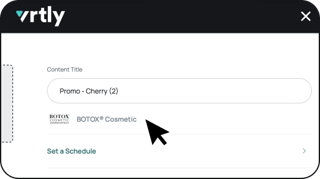
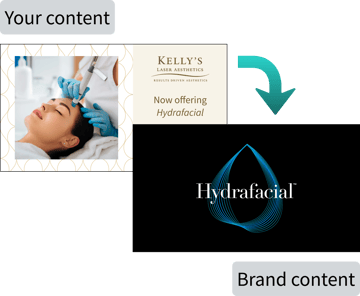
A brand tag tells Vrtly which brand your custom content is promoting. When tagged content plays, Vrtly automatically plays an ad for that brand right before or after it, helping you:
- Strengthen brand recognition
- Reinforce brand messaging
- Elevate the impact of your custom content
- Give patients a more cohesive, on-brand viewing experience
- Highlight the brands you carry alongside your own content, reinforcing your practice's brand partnerships
- Feed into the performance reporting we share with brand partners: your engagement data helps inform and strengthen those partnerships
Adding a Brand Tag to New Content
- Sign in to your account via my.vrtly.ai
- Navigate to Content
- Edit an existing piece of content
or upload a new piece of content - Select + Add Brand Tag
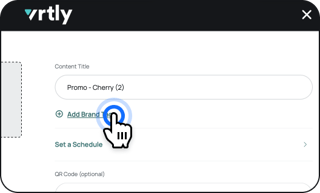
- Search for or type in the name of the brand your content is promoting
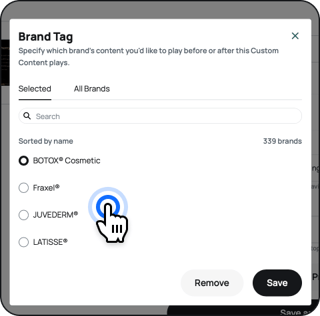
- Save